Hearing aids are designed to make everyday listening easier, but like any small electronic device, they can occasionally act up. You might notice a strange sound, unexpected whistling or a sudden change in volume. Fortunately, many common hearing aid problems have simple solutions you can try at home.
Before scheduling a repair, try these troubleshooting steps.
When Your Hearing Aids Whistle
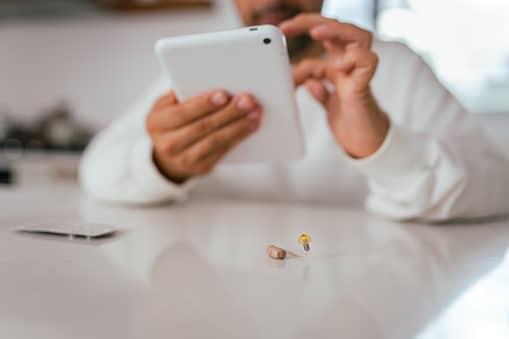
A whistling or squealing sound is known as feedback. It happens when amplified sound escapes from your ear and gets picked up by the hearing aid’s microphone. Modern hearing aids have technology designed to reduce feedback, but it can still happen from time to time.
If you notice feedback, try these steps:
- Take your hearing aid out and put it back in, making sure it sits securely in your ear
- Check the device for earwax or debris and clean it with the appropriate tools
- Turn the volume down slightly to see if the whistling stops
- If you use an earmold, make sure it is positioned correctly
Occasional feedback isn’t necessarily a cause for concern. However, if your hearing aid suddenly begins whistling frequently, there could be another issue. Earwax buildup in the ear, for example, can sometimes cause the sound to bounce back.
If cleaning and repositioning your hearing aid don’t help, schedule an appointment with a hearing professional. We can examine your ears and inspect your devices to determine what’s causing the problem.
When Sounds Seem Different
Voices suddenly sounding muffled, background noise seeming distorted or everything coming through your hearing aids sounding unusually sharp or crackly are all examples of sound issues.
Several things can affect hearing aid sound quality, including wax buildup, moisture, debris, battery problems, physical damage or changes to the device’s settings.
Here are a few things you can check at home:
- Clean your hearing aids according to the manufacturer’s instructions
- Check the microphone and speaker openings for visible debris or wax
- Make sure the batteries have enough power, or fully charge rechargeable devices
- Place your hearing aids in a hearing aid dryer or dehumidifier if they may have been exposed to moisture
- Open your hearing aid app and check that your settings haven’t changed
- Look over your devices for obvious damage, such as cracks, loose tubing or damaged components
If your hearing aids still sound muffled, distorted or unusually quiet after trying these steps, it’s a good idea to have them professionally checked.
How a Hearing Aid Specialist Can Help
At-home troubleshooting can take care of many minor hearing aid problems, but it isn’t a substitute for professional care. Persistent feedback, poor sound quality or a device that won’t turn on may indicate an issue that requires more specialized attention.
Our hearing specialists at Today’s Hearing can examine your ears, clean and inspect your hearing aids, check their programming and identify potential problems. If your devices need more extensive repairs, we can also determine whether they should be sent to the manufacturer.